1. Posts/

How to Turn off Screen Overlay on Android Marshmallow

·1 min

If you are running Android Marshmallow on your Android phone then you might have crossed " Screen Overlay Detected " error a few times. A popup appears and warns you that a screen overlay has been detected. This is a post on how to fix the " Screen Overlay Detected " error on your Android device. However, this is a common issue found on Android Marshmallow.

Reasons why this Error appears : #

  • You are using a floating app or a utility app which requests access rights.
  • Problematic apps like Clean Master, CM Security, DU Power Saver, Whatsapp, Prisma, Lux and Twilight or Bascially those apps having screen overlay.

[

screen overlay detected
]

How to Turn off Screen Overlay on Android Marshmallow #

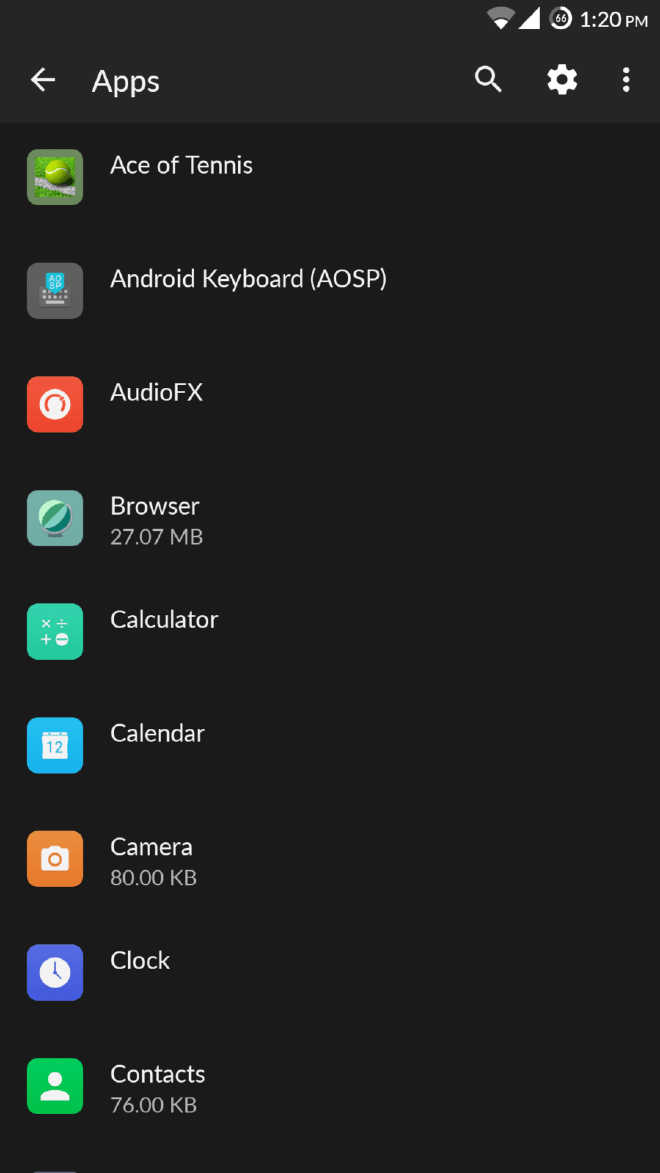
  1. Go to Settings>Apps and Tap on the Gear Icon on the top right corner. [
    Apps Overlay
    ]
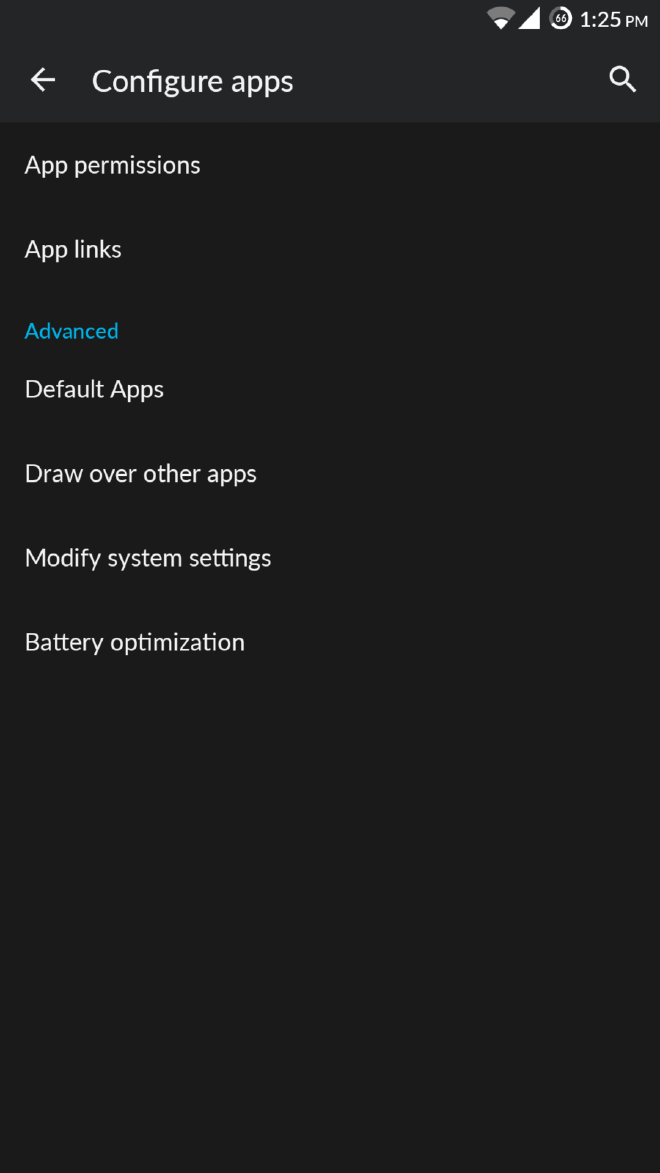
  2.  After you have tapped on the Gear Icon, Tap on " Draw over other apps “. [
    screenshot_20160901-132502.png
    ]
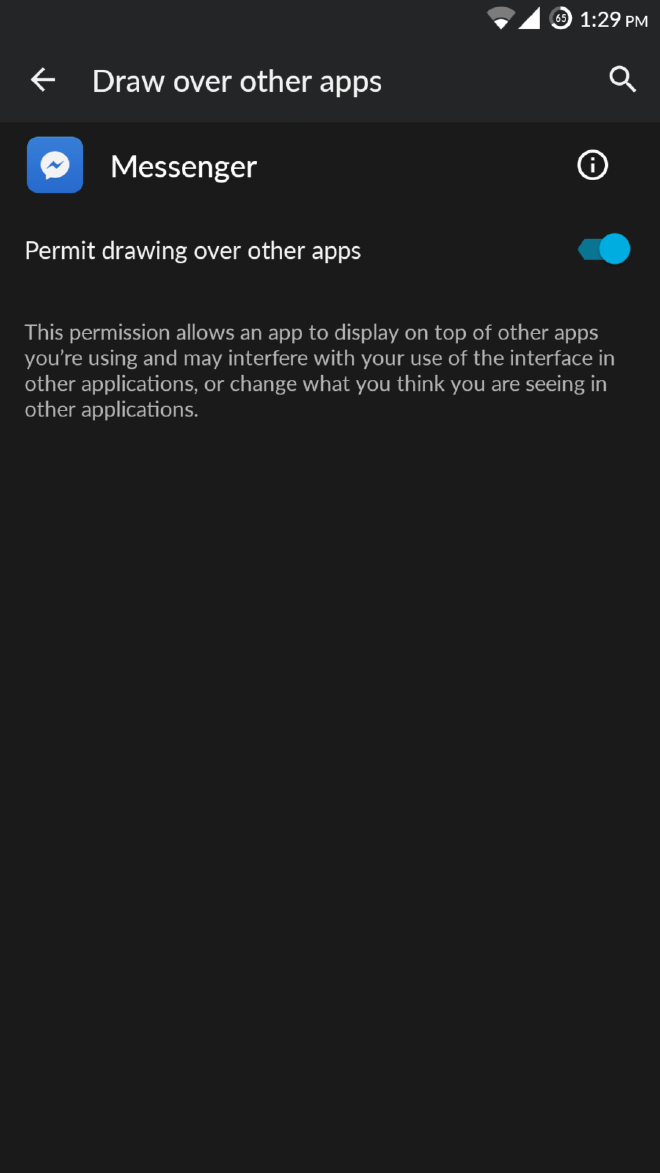
  3. Select the app that has been showing you the error and Toggle to “Yes” or “No”. [
    screenshot_20160901-132933.png
    ]